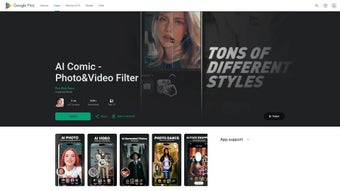

Download AI Comic – AI‑Powered Photo & Video Comic Generator
Overview
AI Comic is a web‑based AI art generator that instantly transforms ordinary photos and videos into vivid, comic‑style artworks. Powered by cutting‑edge machine learning models, the platform can reinterpret any image—whether it’s a casual selfie, a family portrait, or a travel snapshot—into a stylized comic panel that captures the essence of classic graphic novels while preserving the subject’s unique skin tones and facial features. The service also supports AI Comic Videos, allowing users to animate short clips with dynamic comic effects, making it perfect for birthday greetings, wedding announcements, or social media storytelling.
Designed for both casual creators and seasoned illustrators, AI Comic eliminates the steep learning curve of traditional graphic software; no prior editing skills are required. The interface is clean, intuitive, and fully browser‑based, ensuring that you can start creating within seconds after a secure login. Data safety is a core priority—uploads are processed in encrypted sessions, and no personal images are stored beyond the rendering process, guaranteeing privacy for every user.
Whether you’re looking to add a playful twist to personal memories or produce eye‑catching marketing visuals, AI Comic offers a fast, free (with premium upgrades), and secure way to bring comic art to life.
Key Features & Capabilities
- Fast AI Photo Generation: Turn any image into a comic panel in under 5 seconds using GPU‑accelerated inference.
- AI Comic Videos: Convert short video clips (up to 30 seconds) into animated comic strips with motion‑blur effects and speech‑bubble captions.
- Skin‑Tone Sensitive Rendering: Advanced color mapping respects diverse skin tones, avoiding the washed‑out look common in older filters.
- Multiple Comic Styles: Choose from classic noir, vibrant manga, retro superhero, or minimalist line‑art presets.
- Customizable Speech Bubbles: Add personalized text, choose fonts, and place bubbles with drag‑and‑drop controls.
- One‑Click Social Sharing: Export to PNG, JPEG, GIF, or MP4 and share directly to Instagram, Facebook, TikTok, or email.
- Secure Cloud Processing: All transformations occur on encrypted servers; files are deleted automatically after download.
- Free Tier with Premium Upgrades: Generate up to 20 images per month for free; premium plans unlock unlimited renders, higher resolution, and batch processing.
Installation, Usage & Compatibility
Because AI Comic is entirely web‑based, there is no traditional installation process. Users simply visit the official site, create a free account, and start uploading media. The platform supports all major browsers—including Chrome, Firefox, Edge, and Safari—on desktop and mobile devices. After signing in, the workflow is straightforward: click “Upload Photo” or “Upload Video,” select your desired comic style, adjust optional settings (such as speech‑bubble text or frame layout), and hit “Generate.” The AI engine processes the request in the cloud and returns a downloadable file within seconds. For power users, a premium dashboard provides batch upload capabilities and an API key for integrating AI Comic into custom workflows or third‑party apps.
System Requirements: Since rendering happens on remote servers, local hardware requirements are minimal. A stable internet connection (minimum 3 Mbps) and a modern browser that supports WebGL are sufficient. The service is fully responsive, meaning you can create comic art on a Windows PC, macOS laptop, Android phone, or iOS tablet without any performance degradation.
Getting Started Tips:
- Use high‑resolution source images for the best output quality.
- When creating videos, keep clips under 30 seconds to stay within the free tier limits.
- Experiment with different style presets to discover the one that best matches your project’s tone.
- Leverage the “Preview” button before final rendering to fine‑tune speech‑bubble placement.
- Take advantage of the “Save Project” feature to revisit and edit your comic later.
Pros, Cons & Frequently Asked Questions
Pros
- Instant, high‑quality comic conversion without manual drawing.
- Supports both images and short videos, expanding creative possibilities.
- Free tier available; premium plans are reasonably priced.
- Privacy‑first design – no permanent storage of user uploads.
- Cross‑platform compatibility – works on Windows, macOS, Android, and iOS.
Cons
- Free version limits the number of renders per month.
- Video length capped at 30 seconds for free users.
- Advanced customization (e.g., custom brush strokes) is only available in premium.
- Requires a stable internet connection; offline use is not supported.
FAQ
Is AI Comic really free to use?
Yes, AI Comic offers a free tier that allows up to 20 image renders and 5 video conversions per month. Premium subscriptions unlock unlimited usage and higher‑resolution outputs.
How does AI Comic protect my privacy?
All uploads are encrypted in transit and processed on secure servers. Files are automatically deleted after the rendering is complete, and no personal data is stored beyond the session unless you choose to save a project in your account.
Can I use AI Comic on a mobile device?
Absolutely. The web app is fully responsive and works in modern mobile browsers on both Android and iOS. The same features available on desktop are accessible on phones and tablets.
What image formats are supported?
AI Comic accepts JPEG, PNG, and WebP files up to 15 MB each. For best results, use high‑resolution images (minimum 1080 px width).
Is there an API for developers?
Yes, premium users receive an API key that enables programmatic access to the comic rendering engine. Documentation is available in the dashboard under “Integrations.”
AI Comic strikes a sweet spot between creativity and simplicity. The AI produces surprisingly detailed comic panels, and the video feature adds a fresh, animated flair. While the free tier’s limits may feel restrictive for power users, the pricing is competitive, and the privacy guarantees are reassuring. Overall, it’s a standout tool for anyone looking to inject comic‑book charm into personal or marketing content.
Conclusion & Call to Action
AI Comic delivers a powerful, user‑friendly solution for turning everyday photos and short videos into eye‑catching comic art. Its AI‑driven engine provides fast, high‑quality results while respecting privacy and supporting a wide range of devices. Whether you’re a social media enthusiast, a small business owner seeking unique visual content, or a creative hobbyist wanting to experiment with comic styles, AI Comic offers a seamless experience from upload to share.
The free tier is generous enough to test the waters, and the premium plans are affordable for regular creators. Ready to give your memories a superhero makeover? Download AI Comic now and start generating comic‑style masterpieces today.



.png)



